Assist: Enabling Seamless Collaboration in Manufacturing
Magic Leap, 2022 - 2024
Overview
As part of Magic Leap’s expanded partnership with Google, I contributed design support for developer-facing AR tools and emulation workflows that enable reliable prototyping for next-generation AR glasses.
Assist was first released in 2021. I joined shortly after as the design lead, focusing on driving future iterations and key improvements to enhance functionality and user experience.
As part of Magic Leap’s expanded partnership with Google, I contributed design support for developer-facing AR tools and emulation workflows that enable reliable prototyping for next-generation AR glasses.
Assist was first released in 2021. I joined shortly after as the design lead, focusing on driving future iterations and key improvements to enhance functionality and user experience.

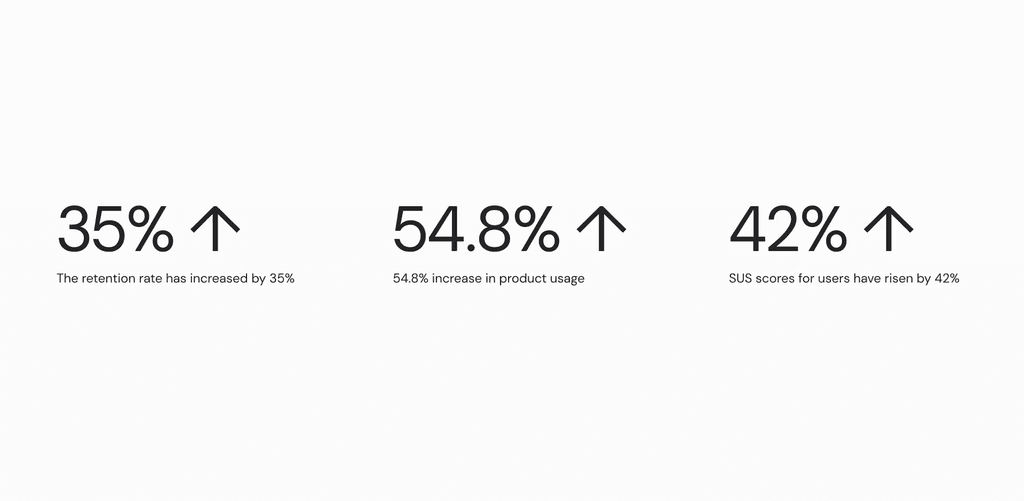
The improved system combines real-time navigation, live annotation, and synchronized file management to deliver a seamless digital-to-physical workflow. We achieved the following milestones:
The improved system combines real-time navigation, live annotation, and synchronized file management to deliver a seamless digital-to-physical workflow. We achieved the following milestones:
Challenge
Challenge
Manufacturing processes are distributed — engineers design remotely while technicians operate on-site. Information often gets lost in translation, and existing digital tools can’t capture spatial context or real-time feedback. Communication gaps across devices and time zones reduce production efficiency.
Manufacturing processes are distributed — engineers design remotely while technicians operate on-site. Information often gets lost in translation, and existing digital tools can’t capture spatial context or real-time feedback. Communication gaps across devices and time zones reduce production efficiency.
Solution
Solution
Magic Leap Assist is a spatial computing system that integrates desktop, AR headset and mobile experiences, enabling engineers and technicians to collaborate seamlessly across time, roles, and locations.
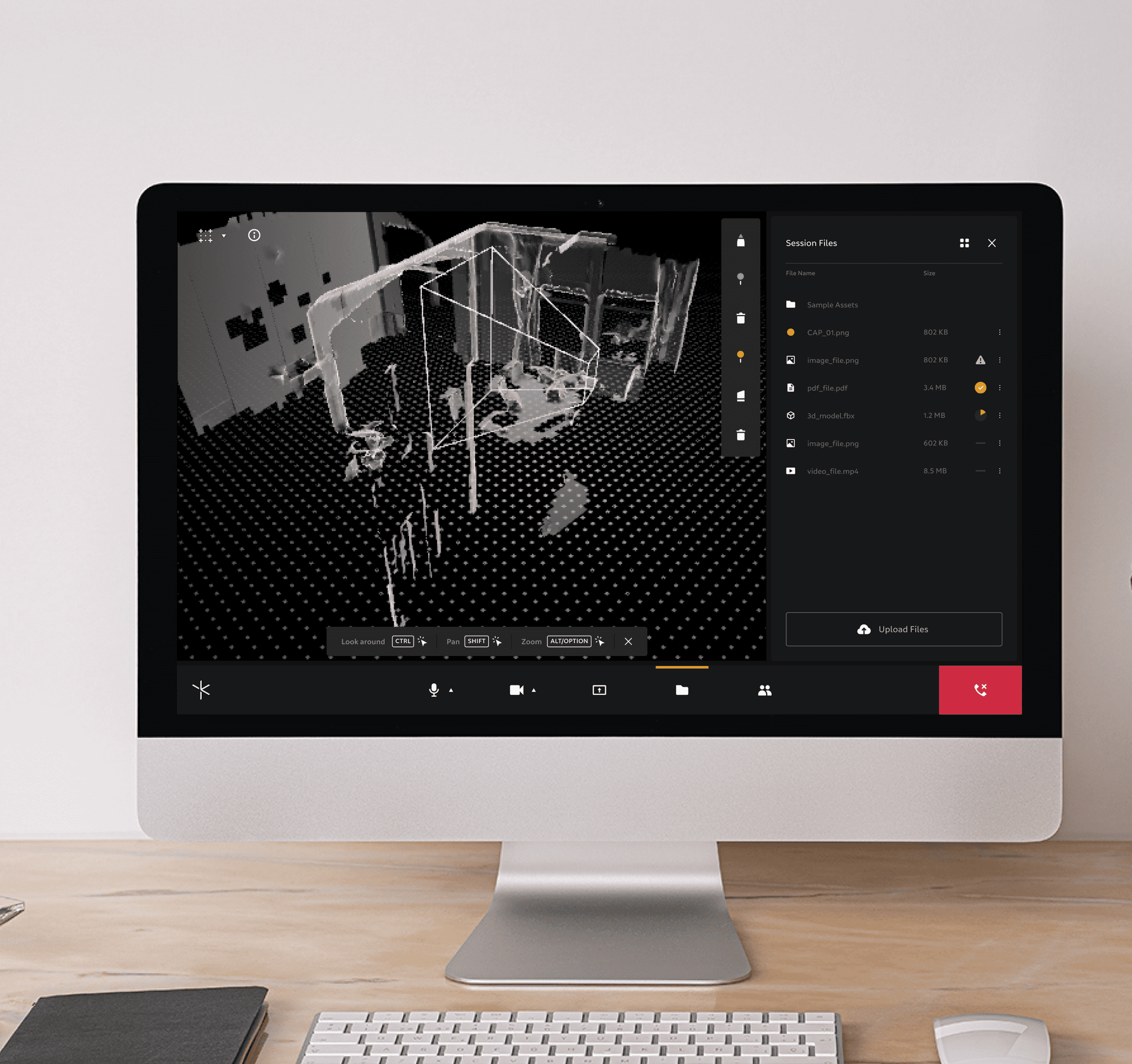
Assist desktop is the command hub for engineers and managers to communicate, plan, monitor, and annotate tasks remotely.
Magic Leap Assist is a spatial computing system that integrates desktop, AR headset and mobile experiences, enabling engineers and technicians to collaborate seamlessly across time, roles, and locations.
Assist desktop is the command hub for engineers and managers to communicate, plan, monitor, and annotate tasks remotely.
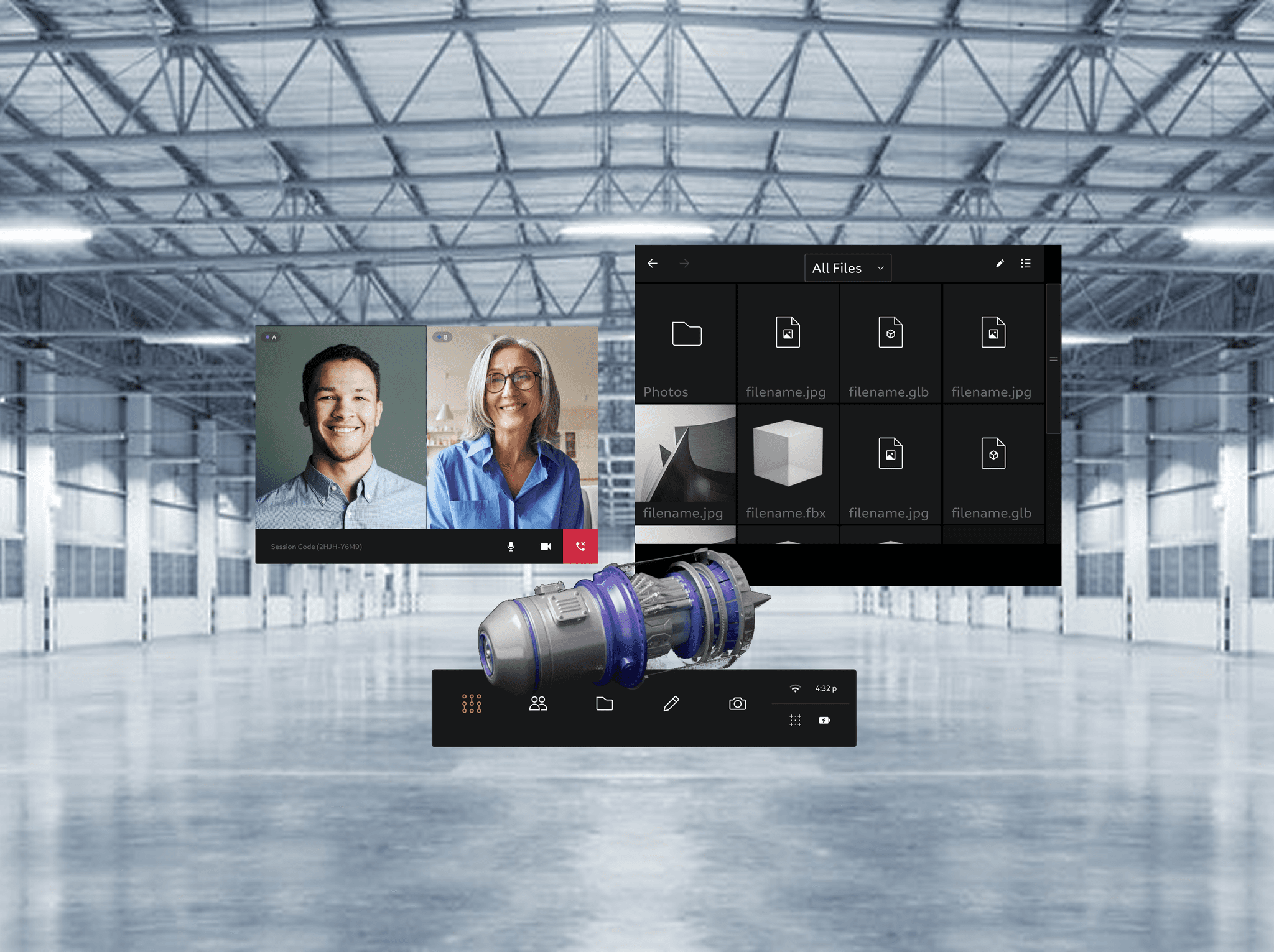
Assist AR provides on-site technicians with real-time spatial guidance and live annotations in their field of view.
Assist AR provides on-site technicians with real-time spatial guidance and live annotations in their field of view.
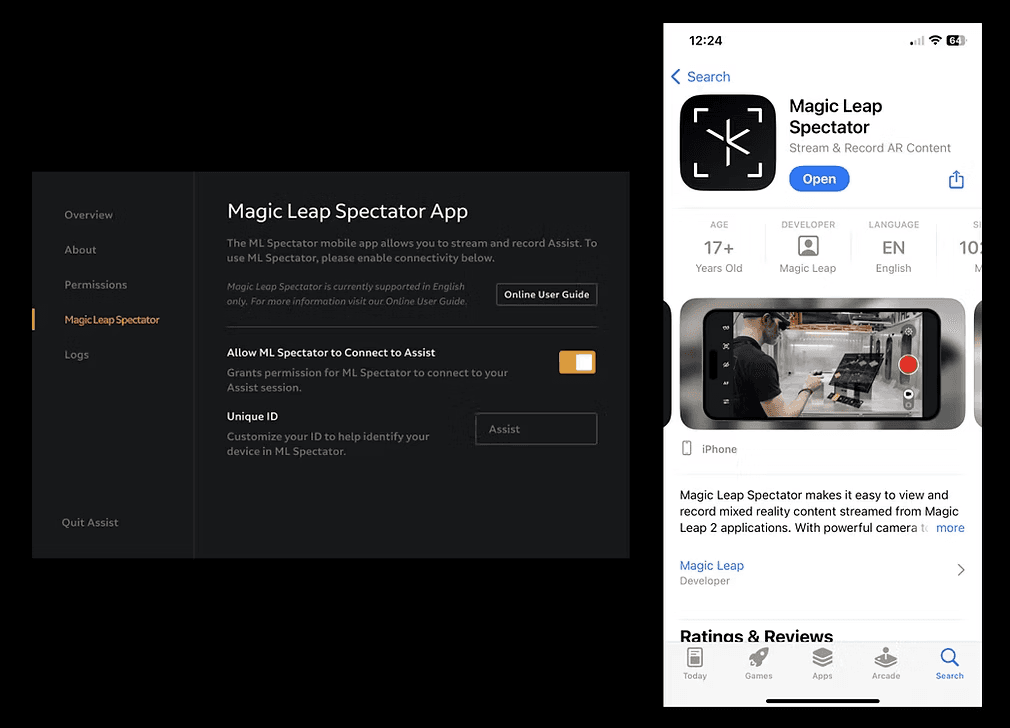
Assist mobile (named as Magic Leap Spectator) extends access on the go, allowing quick task reviews, alerts, and progress updates from any location.
Assist mobile (named as Magic Leap Spectator) extends access on the go, allowing quick task reviews, alerts, and progress updates from any location.
Key Design Decision
Key Design Decision
Building a Scalable Information System
Building a Scalable Information System
Assist desktop was designed as a single-screen interface to keep users focused and minimize distractions. However, constantly changing information led to visual instability and cognitive overload.
To solve this, I designed a structured information architecture that ensures consistency, clarity, and scalability—supporting both current workflows and future growth.
Assist desktop was designed as a single-screen interface to keep users focused and minimize distractions. However, constantly changing information led to visual instability and cognitive overload.
To solve this, I designed a structured information architecture that ensures consistency, clarity, and scalability—supporting both current workflows and future growth.
Key Design Decision
Unified File Management for Cross-Device Workflows
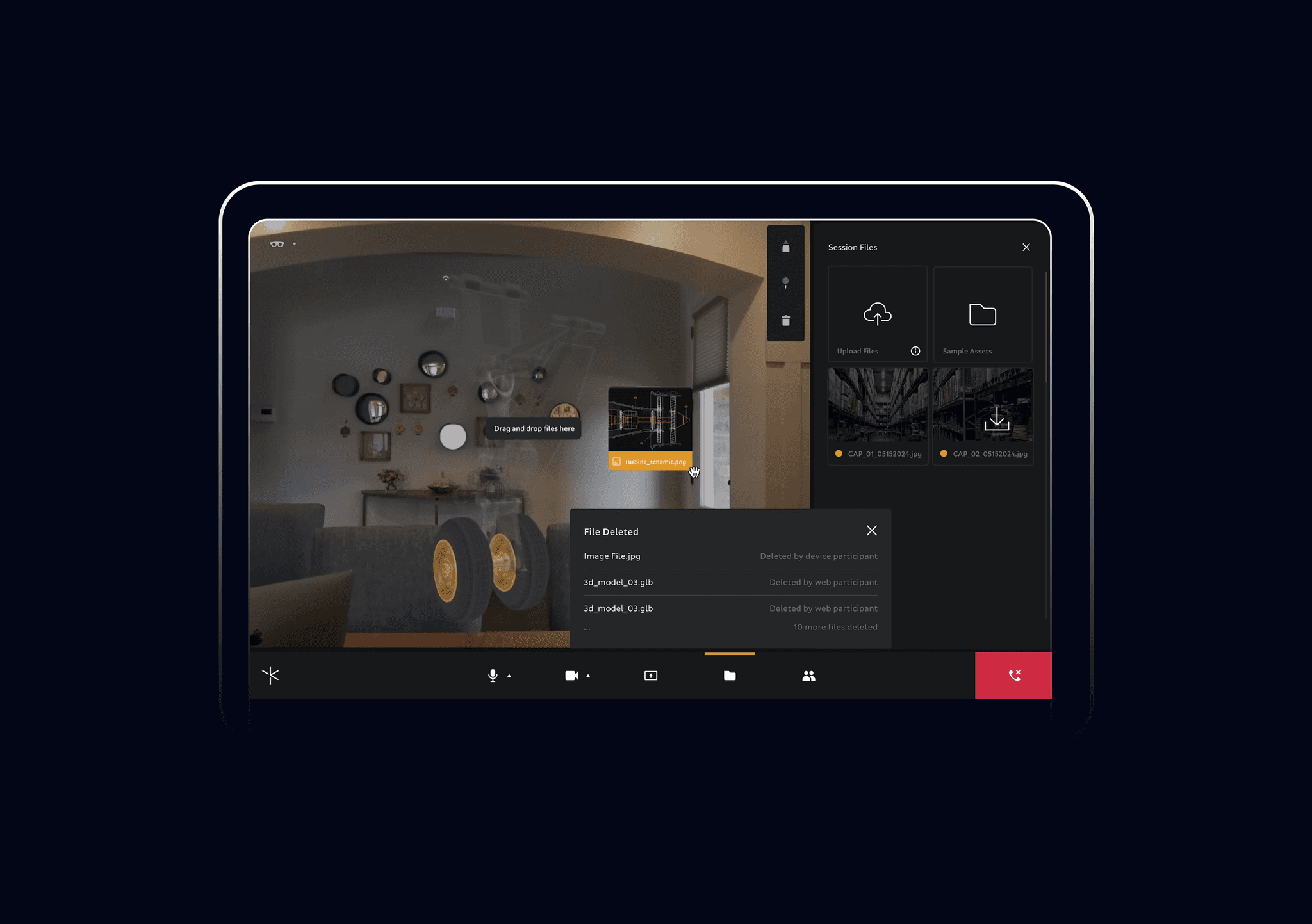
The desktop file management system acts as the central hub for organizing and syncing all project assets across devices. Users can upload, version, and categorize files within a unified structure, ensuring real-time updates and consistent access. Seamless integration with AR and mobile interfaces enhances traceability, reduces cognitive load, and keeps collaboration fluid across roles.

Key Design Decision
Unified File Management for Cross-Device Workflows
The desktop file management system acts as the central hub for organizing and syncing all project assets across devices. Users can upload, version, and categorize files within a unified structure, ensuring real-time updates and consistent access. Seamless integration with AR and mobile interfaces enhances traceability, reduces cognitive load, and keeps collaboration fluid across roles.
Key Design Decision
Remote Navigation in the Digital Twin Environment
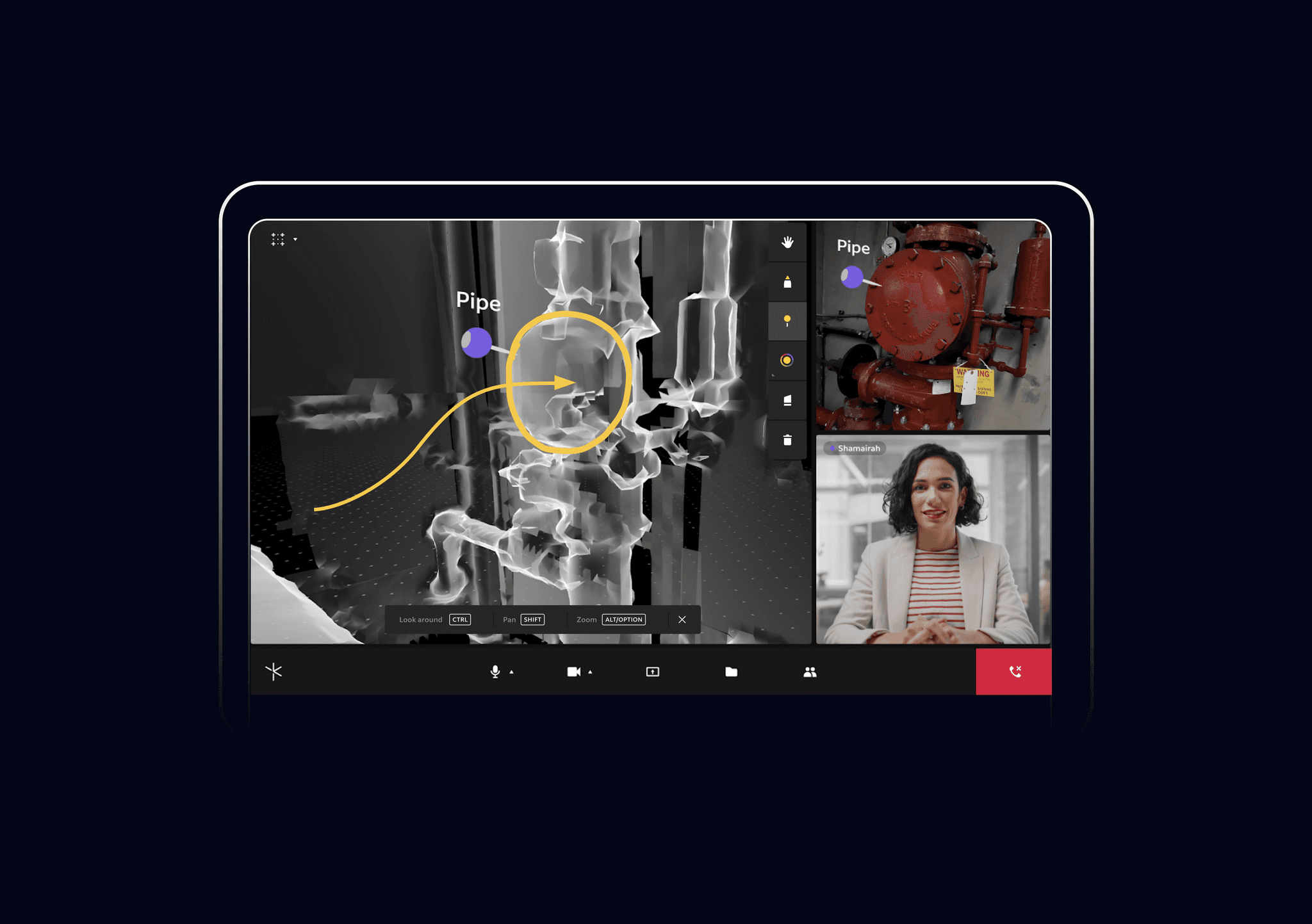
Assist desktop enables engineers to leave real-time annotations and guide on-site technicians within the digital twin environment.
By interacting directly in the shared spatial workspace, desktop users can mark up 3D assets, highlight issues, and navigate technicians through complex tasks remotely—bridging digital and physical workflows for faster alignment and clearer communication.
Key Design Decision
Remote Navigation in the Digital Twin Environment
Assist desktop enables engineers to leave real-time annotations and guide on-site technicians within the digital twin environment.
By interacting directly in the shared spatial workspace, desktop users can mark up 3D assets, highlight issues, and navigate technicians through complex tasks remotely—bridging digital and physical workflows for faster alignment and clearer communication.
Key Design Decision
Multi-Screen Collaboration
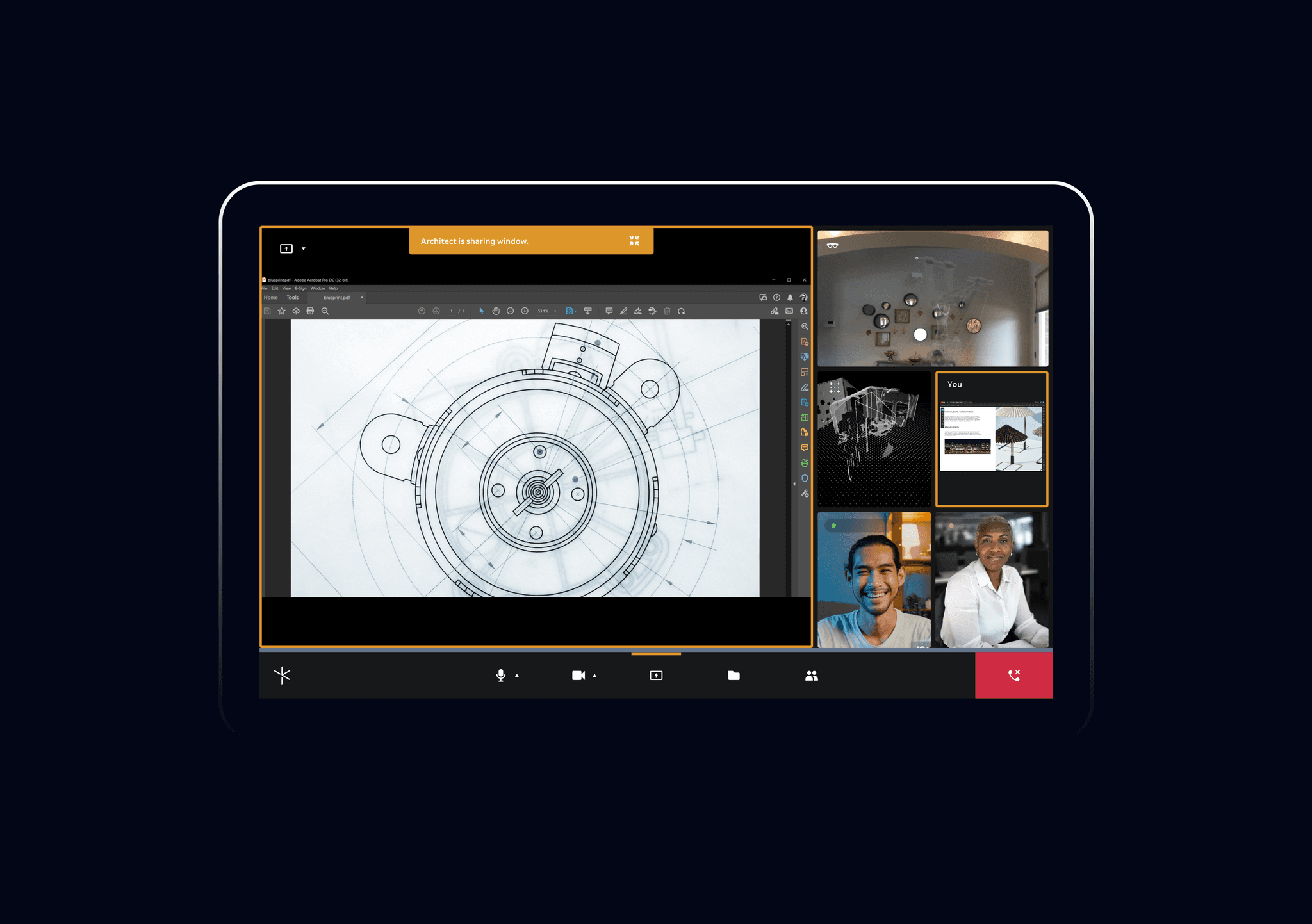
Assist desktop interface supports simultaneous screen sharing, allowing multiple users to present and compare different data views or 3D models in real time.
This feature enhances cross-role collaboration by enabling multiple roles to analyze tasks from multiple perspectives—streamlining decision-making and accelerating alignment across teams.
Key Design Decision
Multi-Screen Collaboration
Assist desktop interface supports simultaneous screen sharing, allowing multiple users to present and compare different data views or 3D models in real time.
This feature enhances cross-role collaboration by enabling multiple roles to analyze tasks from multiple perspectives—streamlining decision-making and accelerating alignment across teams.
Key Design Decision
Extending the Desktop into the Physical World
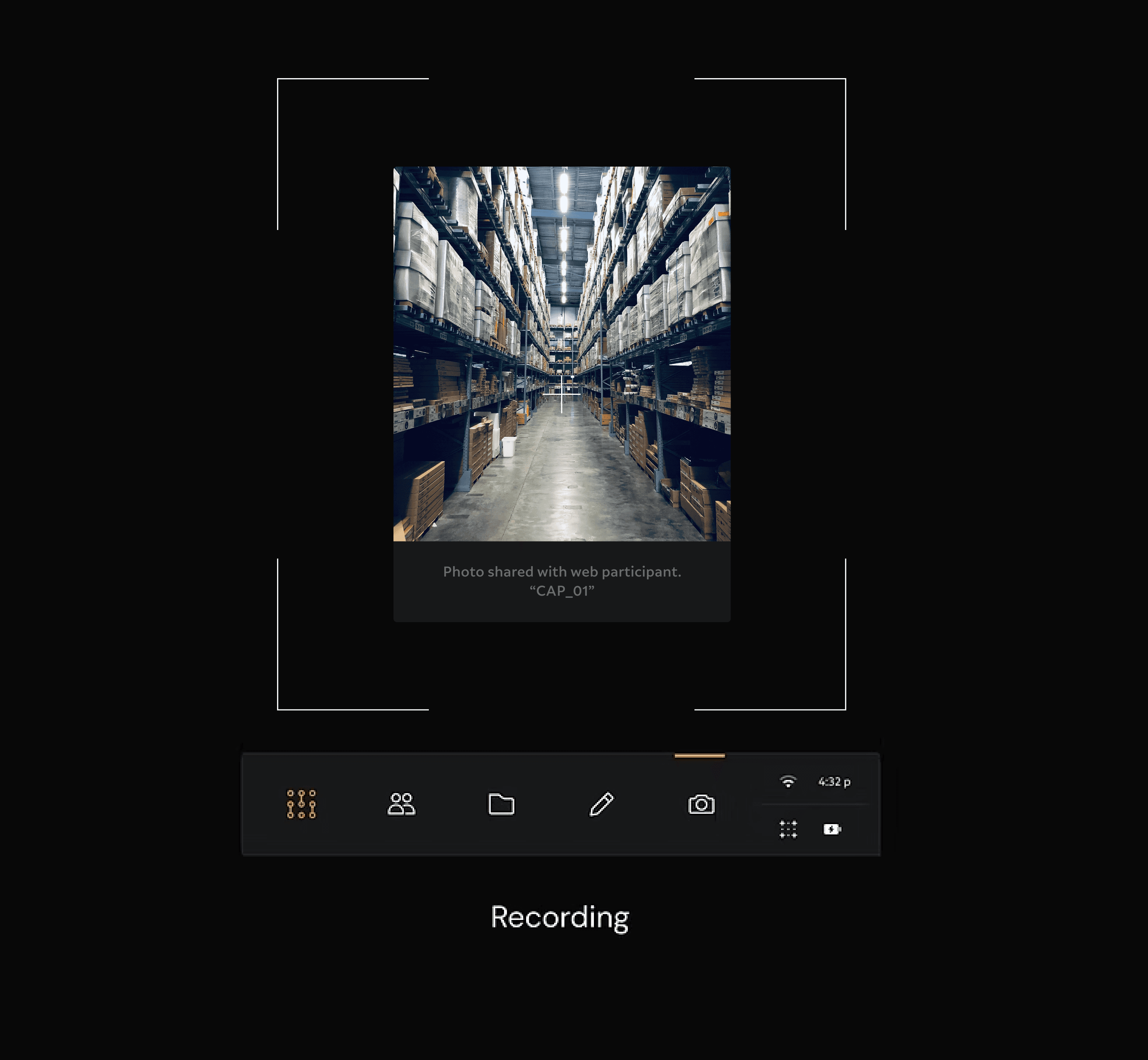
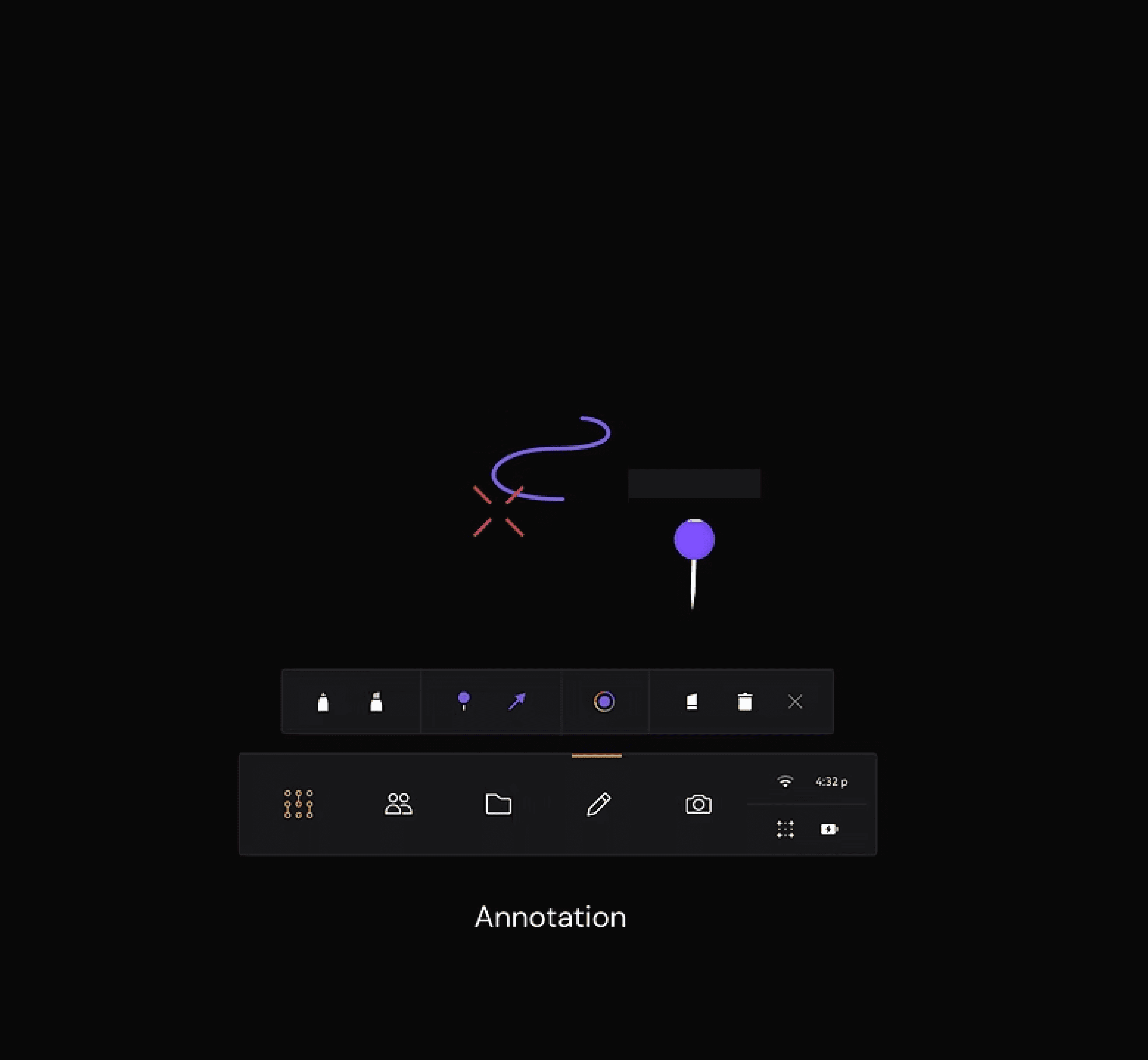
Assist AR extends the desktop experience into the physical workspace. It supports multi-user video calls and real-time annotation within a shared 3D environment, allowing on-site technicians and remote engineers to communicate spatially.
Users can access and manage project files directly from the AR interface, view live digital twin data, and share or record sessions for later review. With integrated live navigation and synchronized updates to the desktop platform, the AR experience creates a continuous feedback loop between digital design and physical execution.


Key Design Decision
Extending the Desktop into the Physical World
Assist AR extends the desktop experience into the physical workspace. It supports multi-user video calls and real-time annotation within a shared 3D environment, allowing on-site technicians and remote engineers to communicate spatially.
Users can access and manage project files directly from the AR interface, view live digital twin data, and share or record sessions for later review. With integrated live navigation and synchronized updates to the desktop platform, the AR experience creates a continuous feedback loop between digital design and physical execution.
This feature enhances cross-role collaboration by enabling multiple roles to analyze tasks from multiple perspectives—streamlining decision-making and accelerating alignment across teams.
Key Design Decision
Clarity and Focus in Dynamic Workspaces
In busy manufacturing environments, the AR interface provides an infinite workspace that adapts to user needs while maintaining visual clarity.
Panels and assets behave contextually, allowing users to quickly organize or clear their workspace as tasks shift. This adaptive layout ensures essential information remains accessible without overwhelming the user’s field of view, supporting focus and efficiency in high-pressure environments.
Key Design Decision
Clarity and Focus in Dynamic Workspaces
In busy manufacturing environments, the AR interface provides an infinite workspace that adapts to user needs while maintaining visual clarity.
Panels and assets behave contextually, allowing users to quickly organize or clear their workspace as tasks shift. This adaptive layout ensures essential information remains accessible without overwhelming the user’s field of view, supporting focus and efficiency in high-pressure environments.